Documentation
Getting Started
Installation and Access
Network Configuration
Verification and Maintenance
Bypass Router Mode: Gateway Connected Alongside
If you do not want to touch the existing network structure, connect the gateway alongside it. About 10 minutes.
A router or switch already exists at the site, and the gateway joins as a bypass router. Only the gateway LAN port is used.
Step 1 — Disable the WAN port
Open 网络(Network)→ 接口(Interfaces), find the WAN port, and click 关闭(Disable).
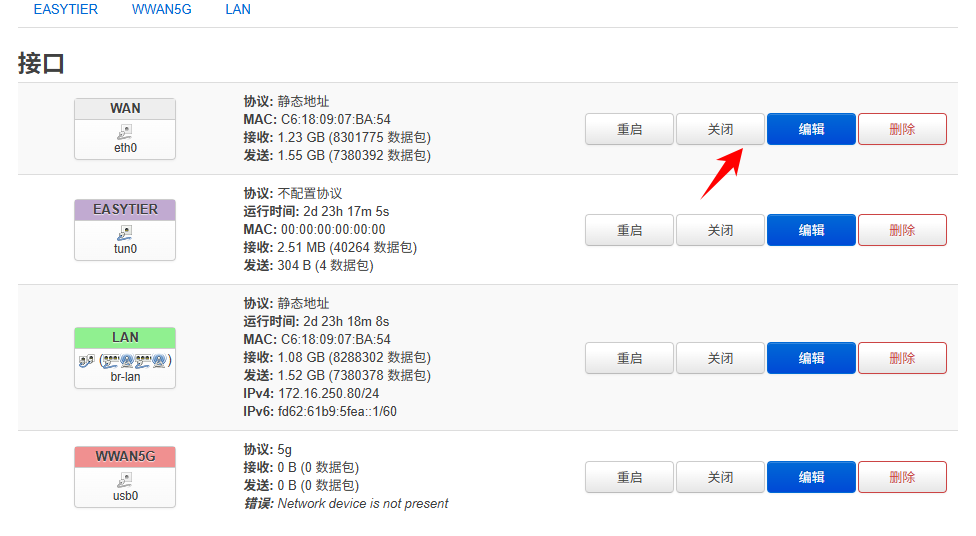
Figure: the 关闭(Disable) entry in the WAN port row.
Step 2 — Edit the LAN port
Click 编辑(Edit) on the right of the LAN port.
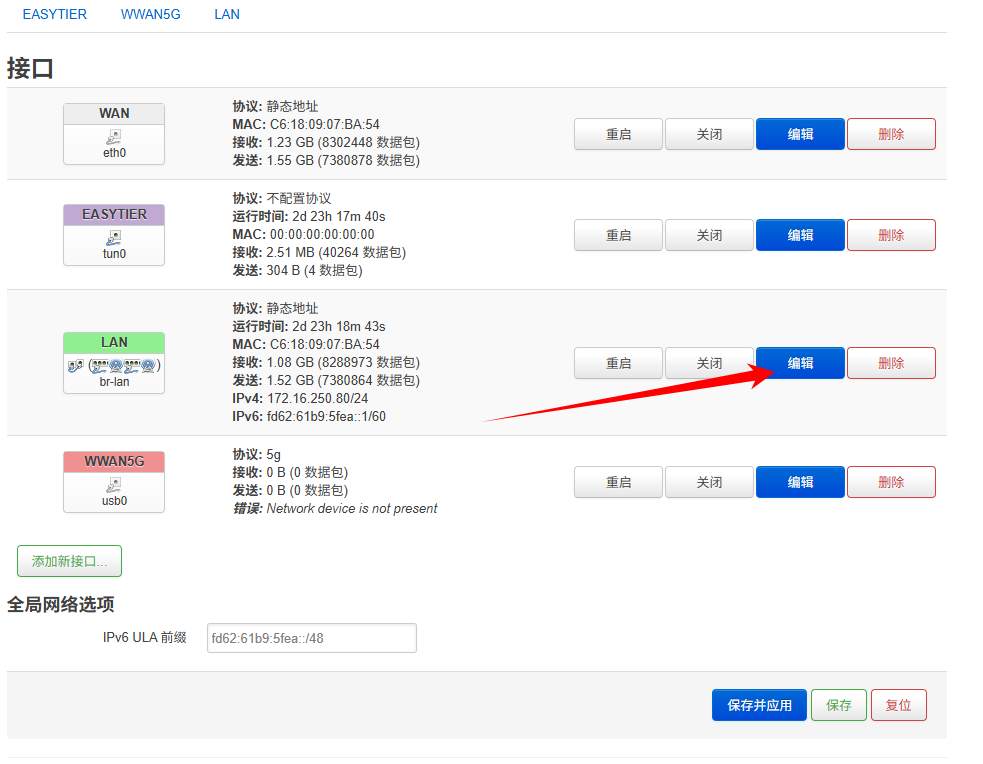
Figure: the 编辑(Edit) button in the LAN port row.
Step 3 — Fill in the six fields from the table
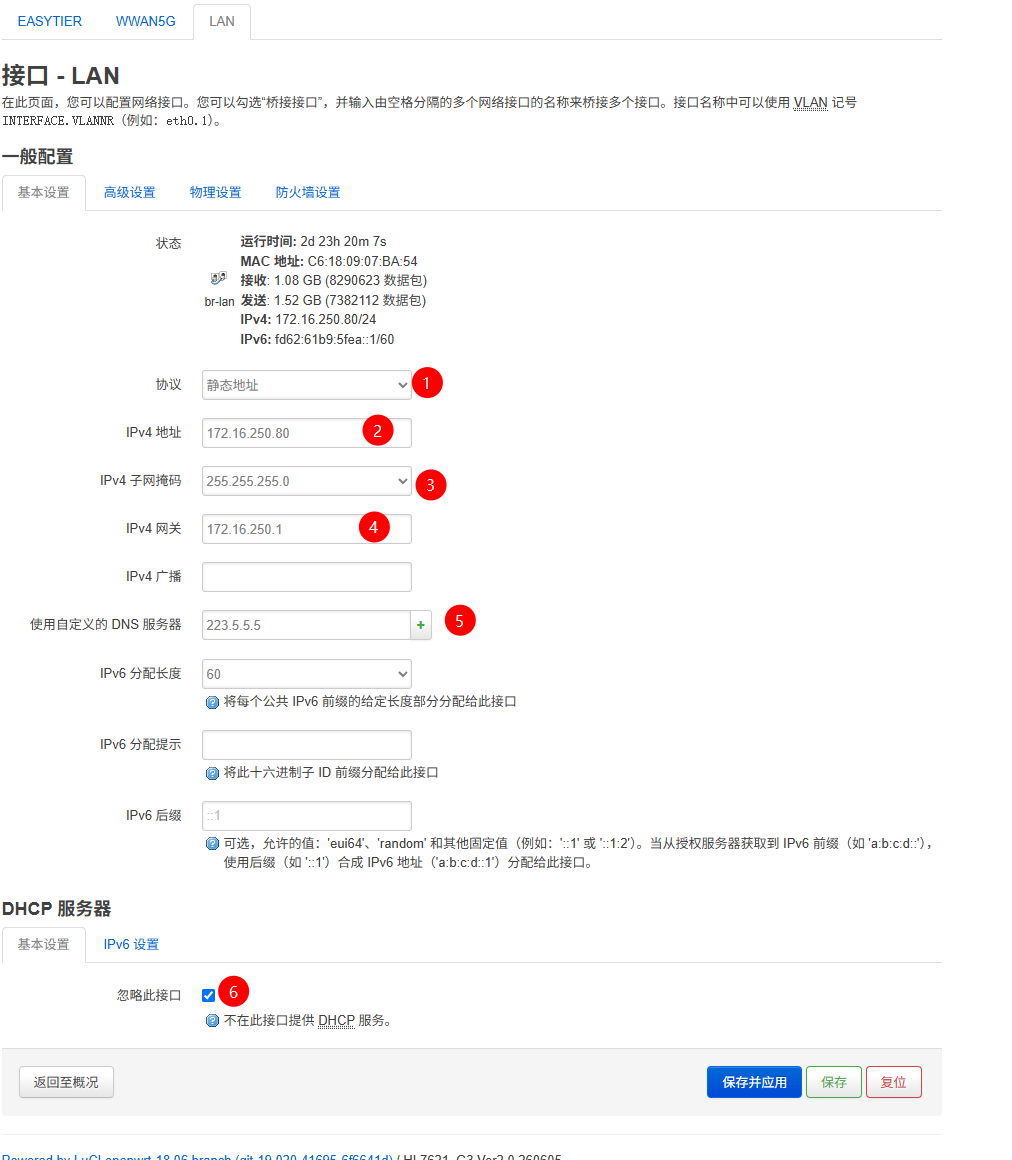
Figure: the LAN port form; the numbers in the screenshot match the table below.
| No. | Field | What to enter |
|---|---|---|
| 1 | 协议(Protocol) | Select 静态地址(Static address) |
| 2 | 地址(IP address) | On the site's subnet and not in use. If the site router is 192.168.1.1, 192.168.1.2 works |
| 3 | 子网掩码(Subnet mask) | The same mask as the site network |
| 4 | 网关(Gateway) | The LAN port IP of the upstream router (the site's main router) |
| 5 | DNS | 114.114.114.114, or 223.5.5.5 |
| 6 | LAN 口 DHCP(LAN DHCP) | Disabled |
Step 4 — Click 应用配置(Apply configuration)
Save and wait for the page to refresh.

Figure: where the 应用配置(Apply configuration) button sits.
Step 5 — Make the traffic find the gateway
Pick one of the two options here; without it, site-to-site access does not work.
| Option | Best for |
|---|---|
| Point the gateway address of the terminals that need access at the gateway LAN port IP | Only the selected devices can reach the peer |
| Add a static route on the upstream router | The whole network can reach the peer |
If you leave it on, it competes with the upstream router to hand out addresses. On site this shows up as intermittent drops and random disconnects.
A device reaching the internet does not mean it can reach the other site. First confirm that the terminal gateway or the static route points at the gateway LAN port IP.
- A computer below the gateway reaches the internet normally
- The computer can ping the gateway LAN port IP
Was this page helpful?A one-line note helps us make these steps more accurate.