Documentation
Getting Started
Installation and Access
Network Configuration
Verification and Maintenance
Creating a Network on the Platform
This page creates a virtual network on the platform and adds the three initial nodes.
Confirm before you start
- You are signed in with the platform account.
- Each site's subnet is planned and no two repeat.
Steps
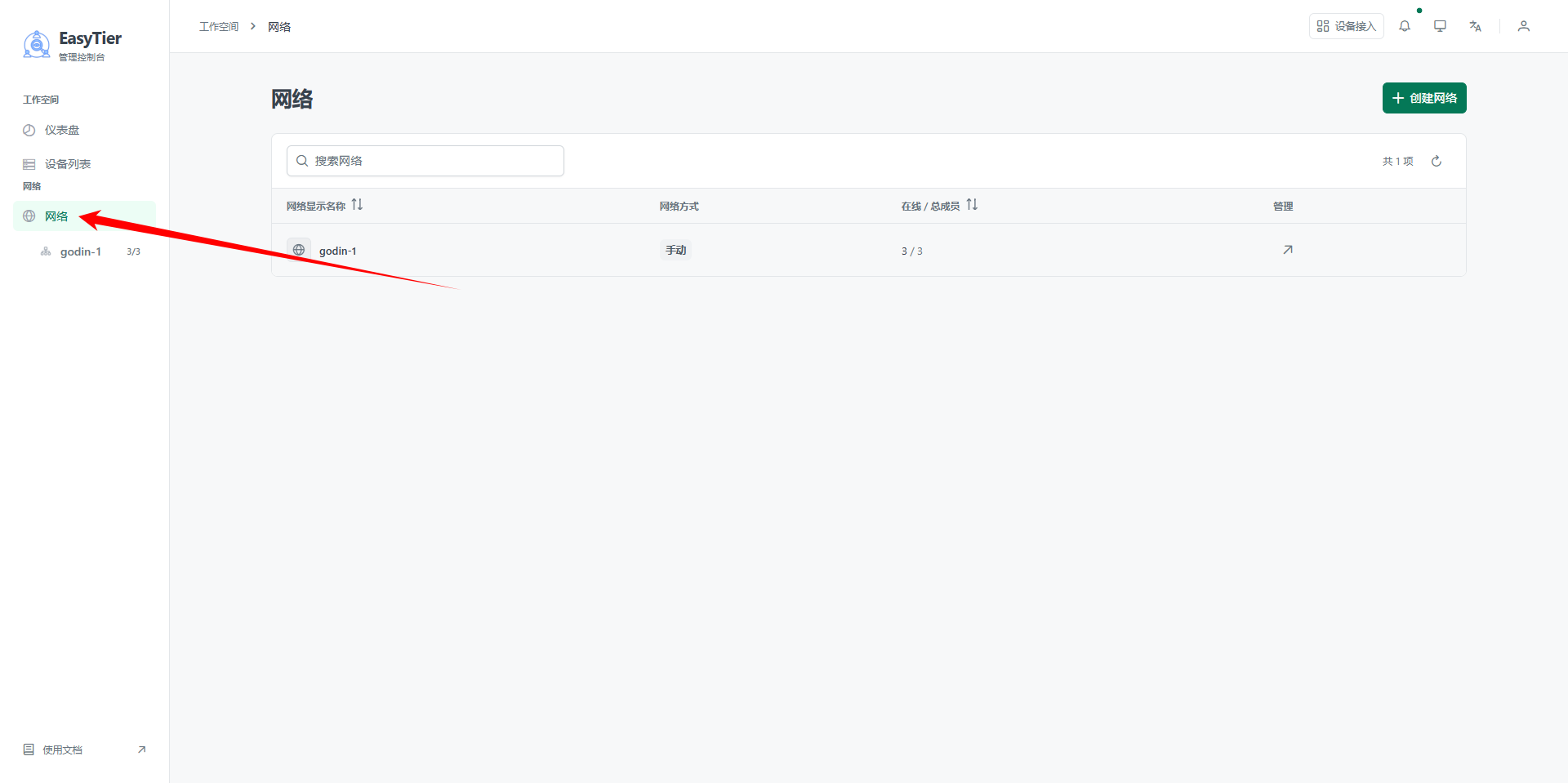
Step 1 — Open 网络(Network)
Click 网络(Network) in the platform navigation.
Step 2 — Click 创建网络(Create network)
The button is in the top right corner of the page.
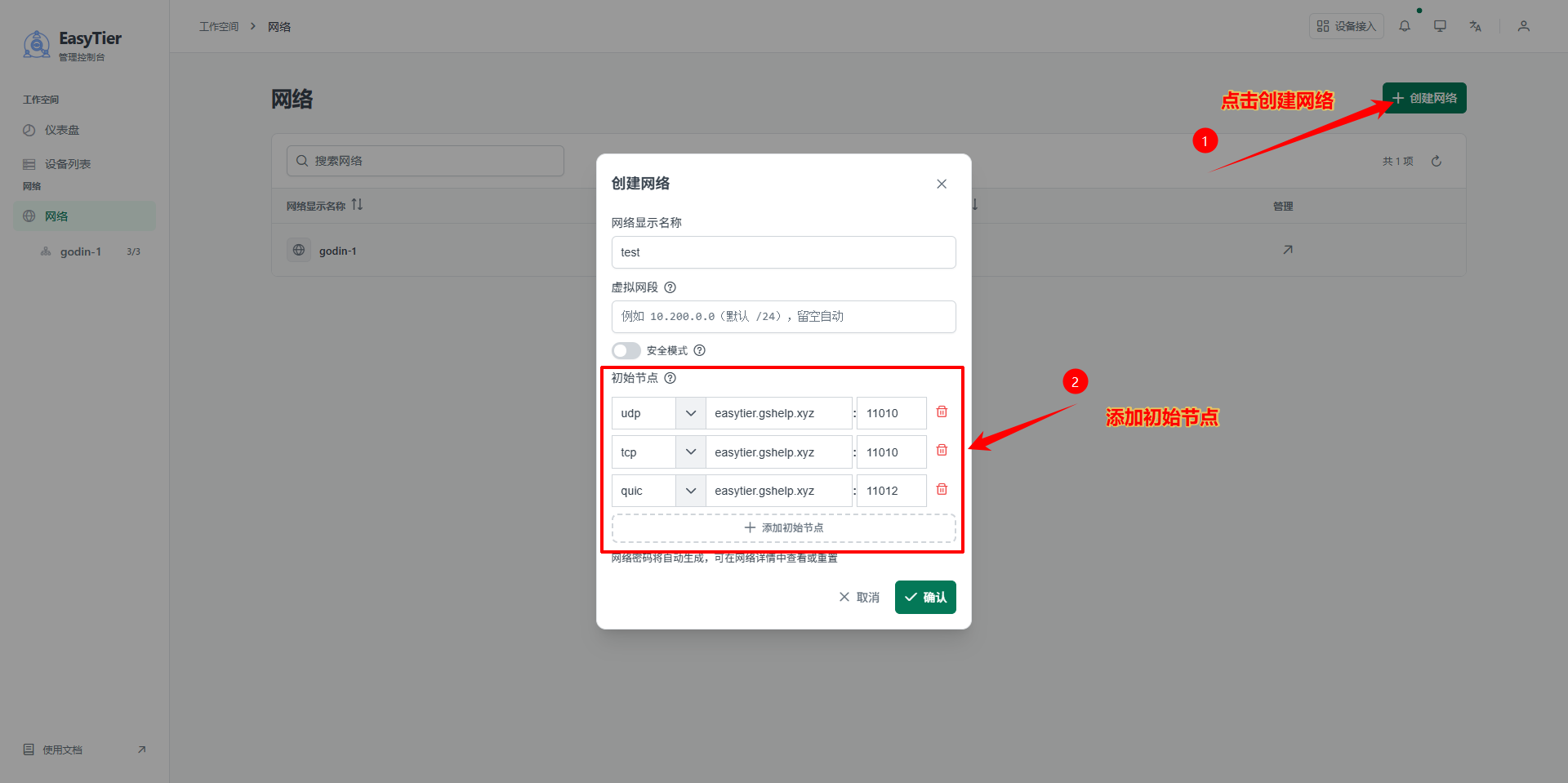
Step 3 — Add three initial nodes
Add all three protocols with the same domain name and the default port.
| Node | Protocol | Domain | Port |
|---|---|---|---|
| 1 | UDP | easytier.gshelp.xyz | Default |
| 2 | TCP | easytier.gshelp.xyz | Default |
| 3 | QUIC | easytier.gshelp.xyz | Default |
Click 确认(Confirm) when done.
What you should see when done
- The network management page opens automatically.
- The page shows 成员设备(Member devices), 访问控制(Access control), and 网络设置(Network settings).
The domain must match the one entered on the gateway
This domain is the same domain you enter in the gateway's web 服务器地址(Web server address). If the two differ, the device cannot join this network.
One network per project
Putting different projects on one network makes subnet collisions very likely.
Was this page helpful?A one-line note helps us make these steps more accurate.