Documents
Screen Name Settings
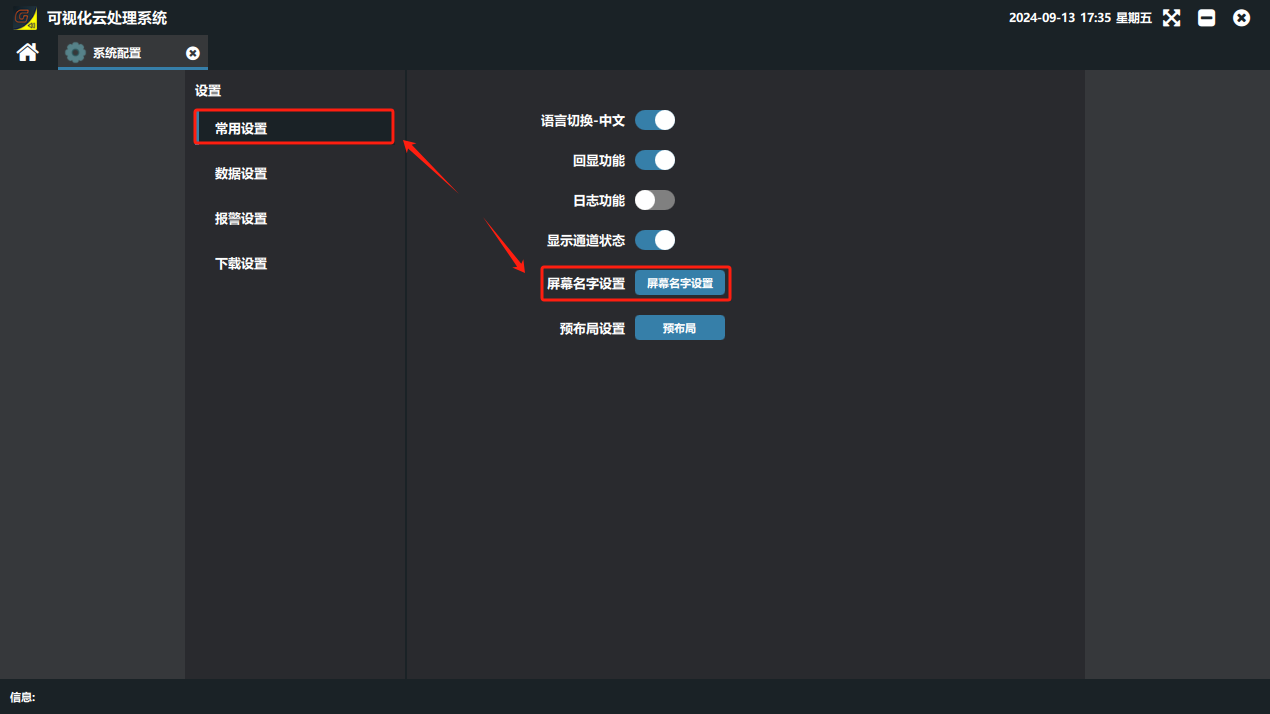
① Click “System Configuration” on the software home page, then click the screen name settings button under “Common Settings” to set screen names for display in the software.
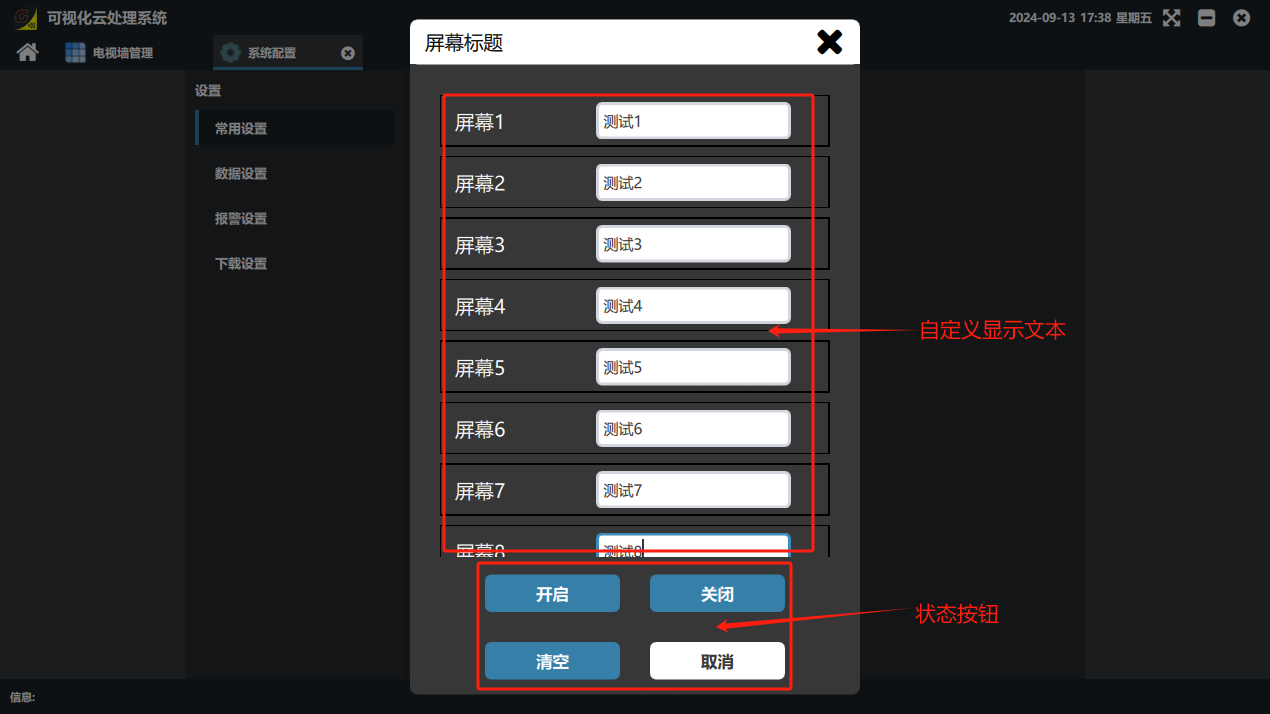
② In the screen title settings panel, set a custom name for each screen.
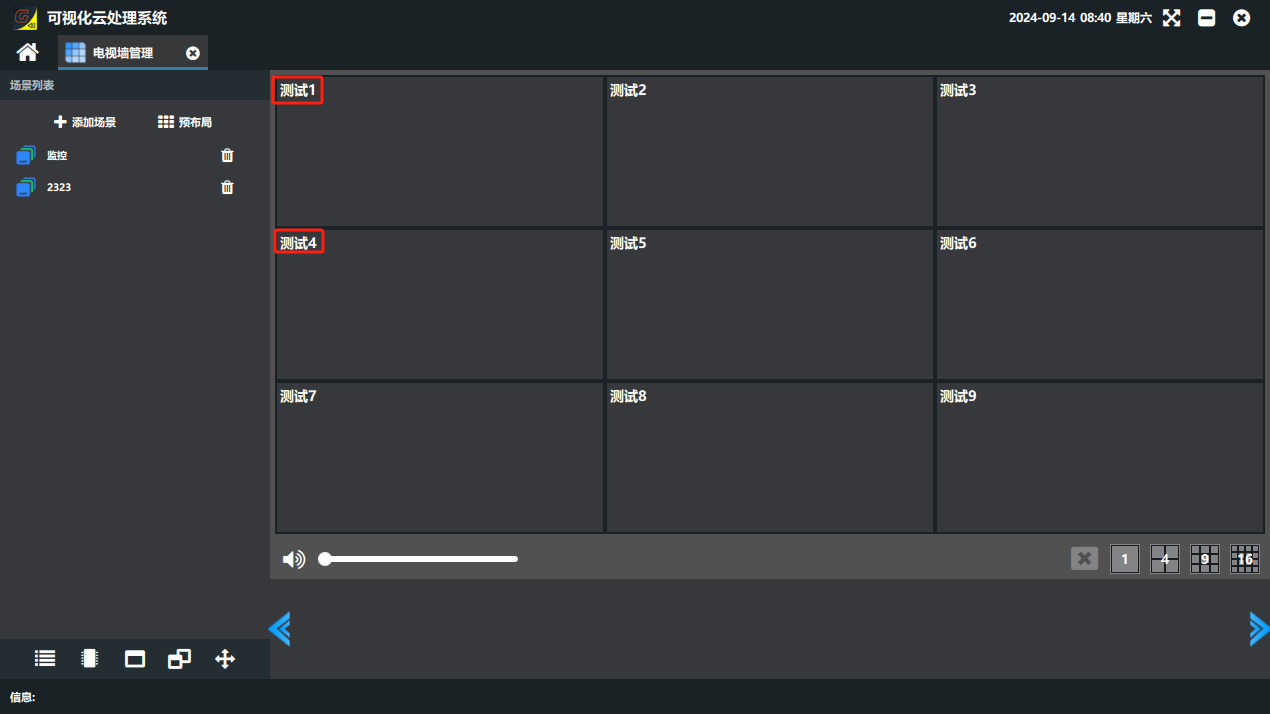
③ The figure below shows the display effect after the setting. (Note: the screen title here is the name of the corresponding screen shown on the software virtual video wall, not a name displayed on each physical screen. This function is used when there are many distributed screens, so that you can quickly find the signal on the corresponding screen in the software.)
Did this page help you?One line of feedback helps us keep the steps accurate.