Documents
Save and Recall Scenes
First arrange the signal sources for the required scene.
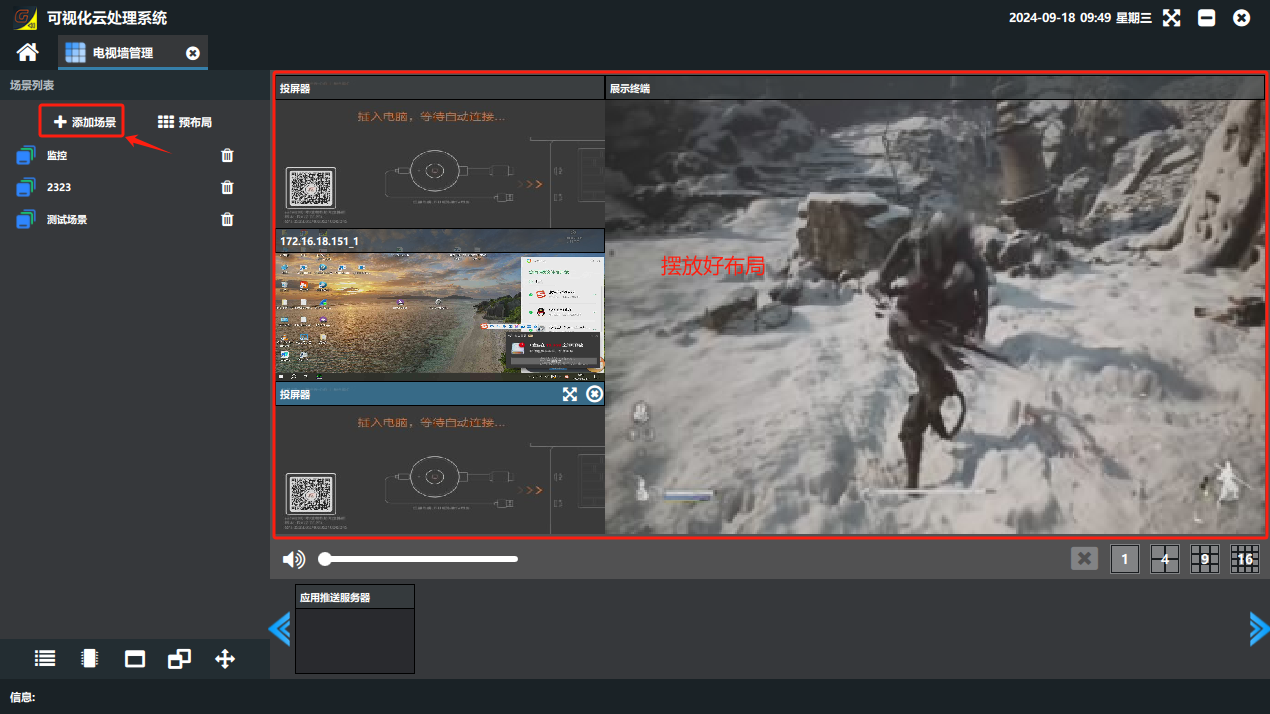
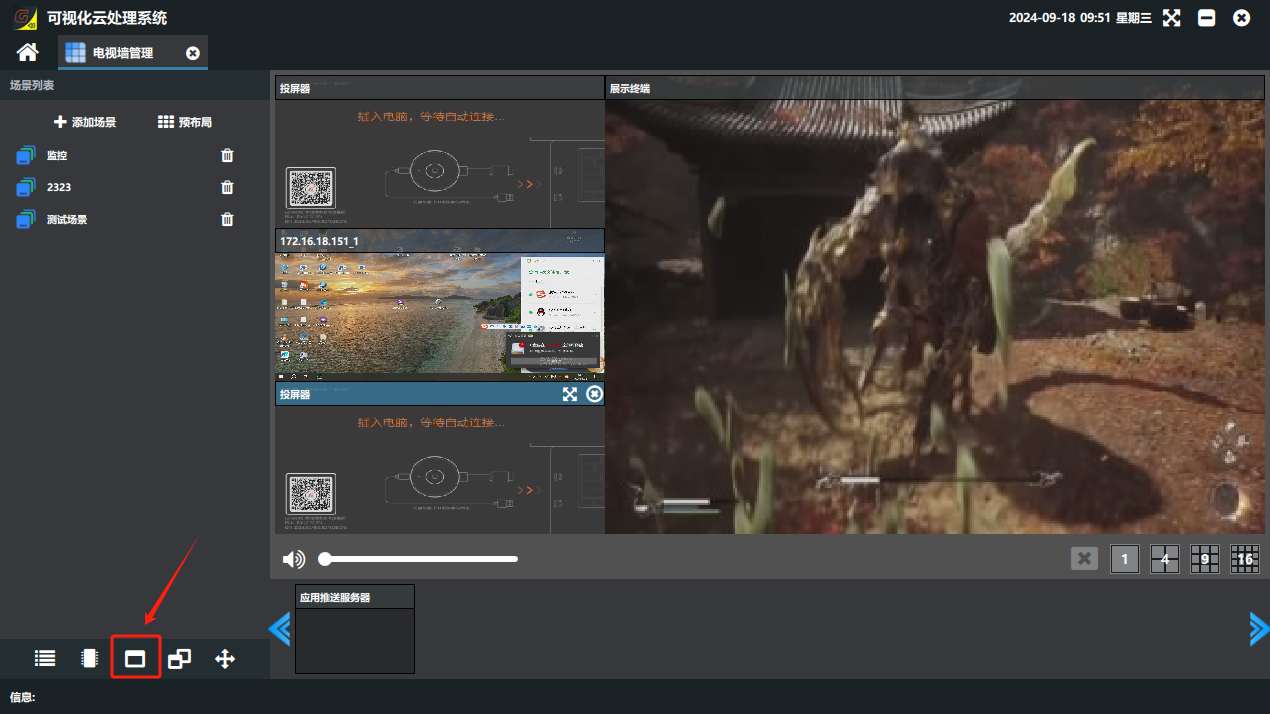
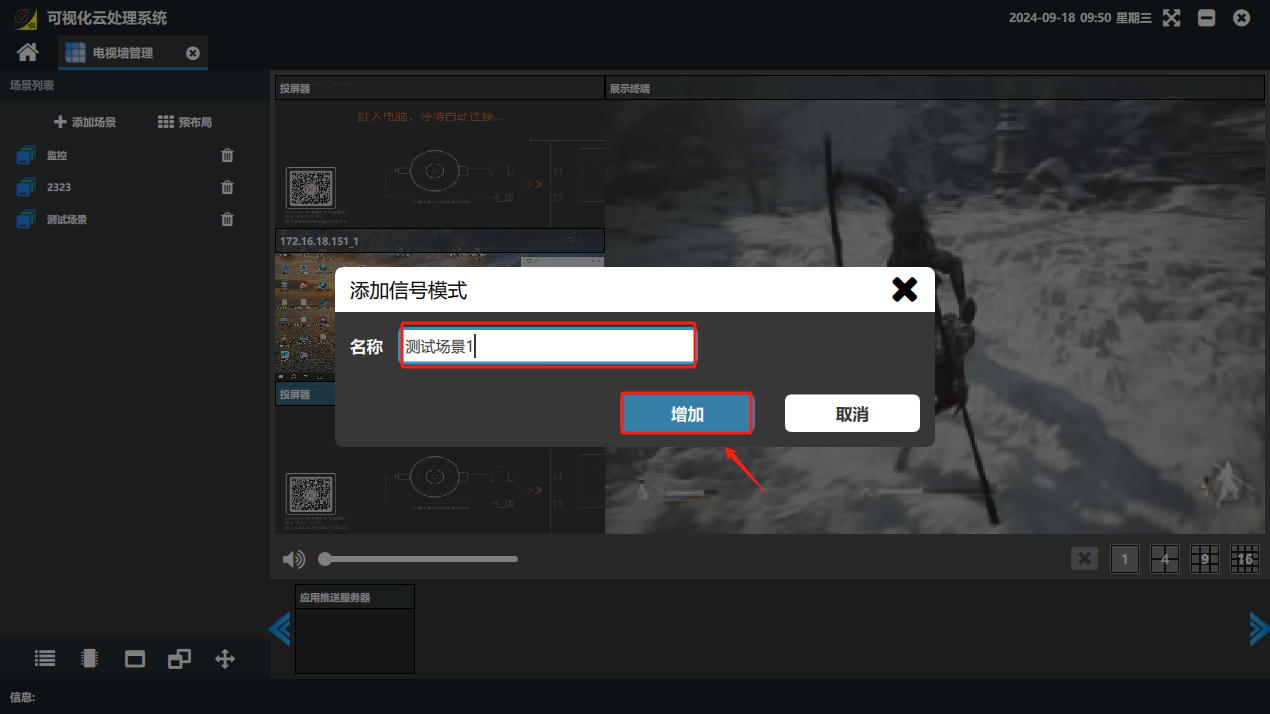
② Click the “Scene” button in the lower-left corner of the software to switch to the scene list → click “Add Scene” → in the “Add Signal Mode” dialog that opens, enter a custom scene name → click “Add”.


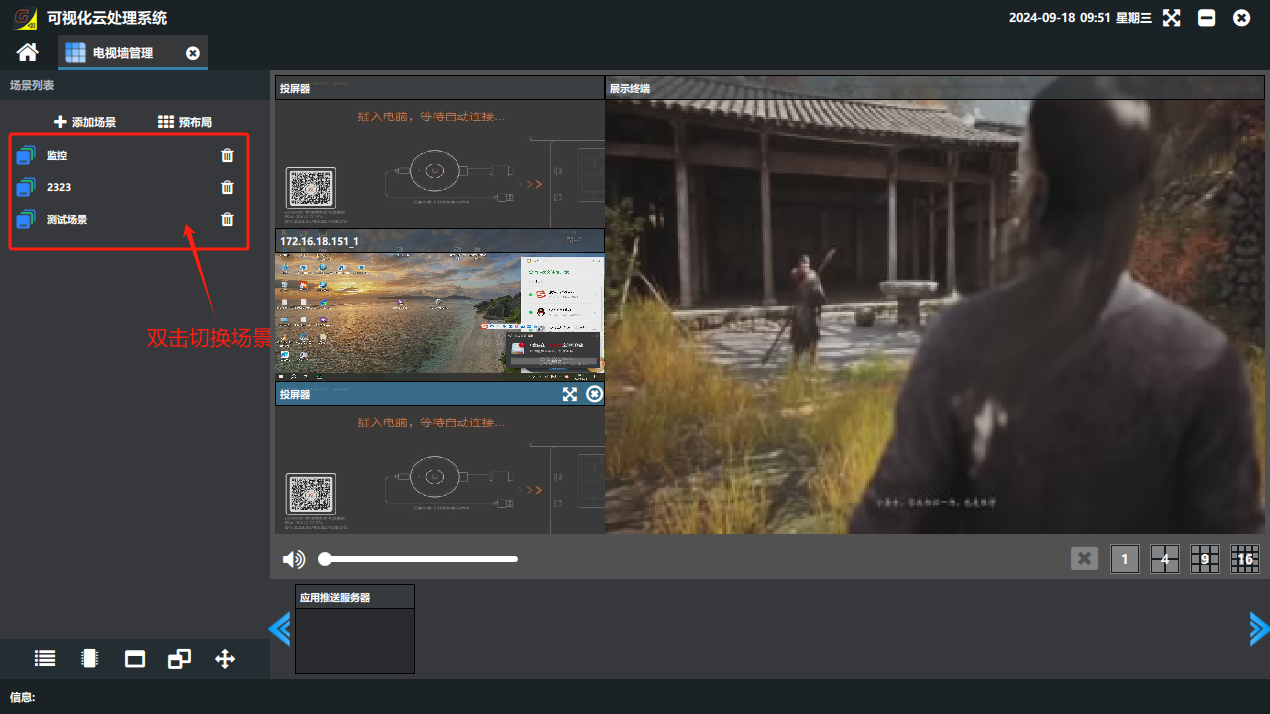
③ To switch to a scene, double-click it in the scene list.
Did this page help you?One line of feedback helps us keep the steps accurate.