Documents
Scheduled Auto Maintenance
Note: for scheduled auto maintenance and automatic restart, only the main card needs to be set; other sub-cards do not.
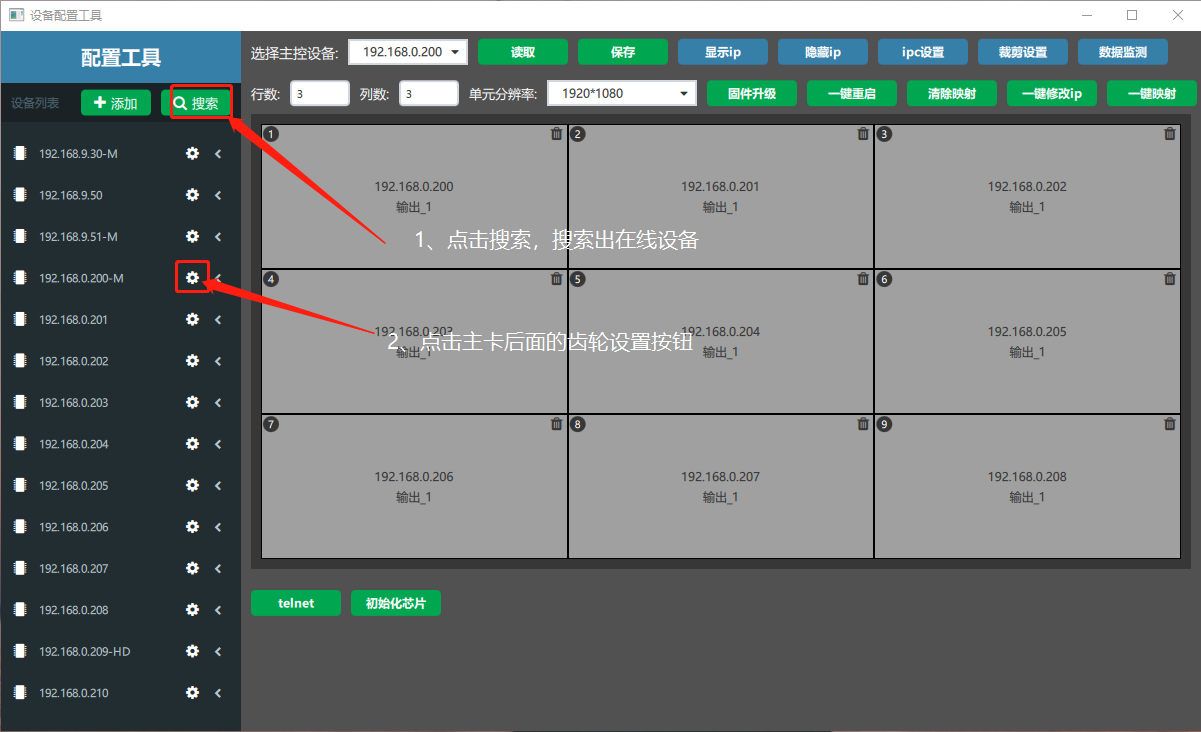
① Open the Device Configuration Tool, click Search to find the devices, and click the gear button after the IP with an M. (An IP followed by M is the main card.)
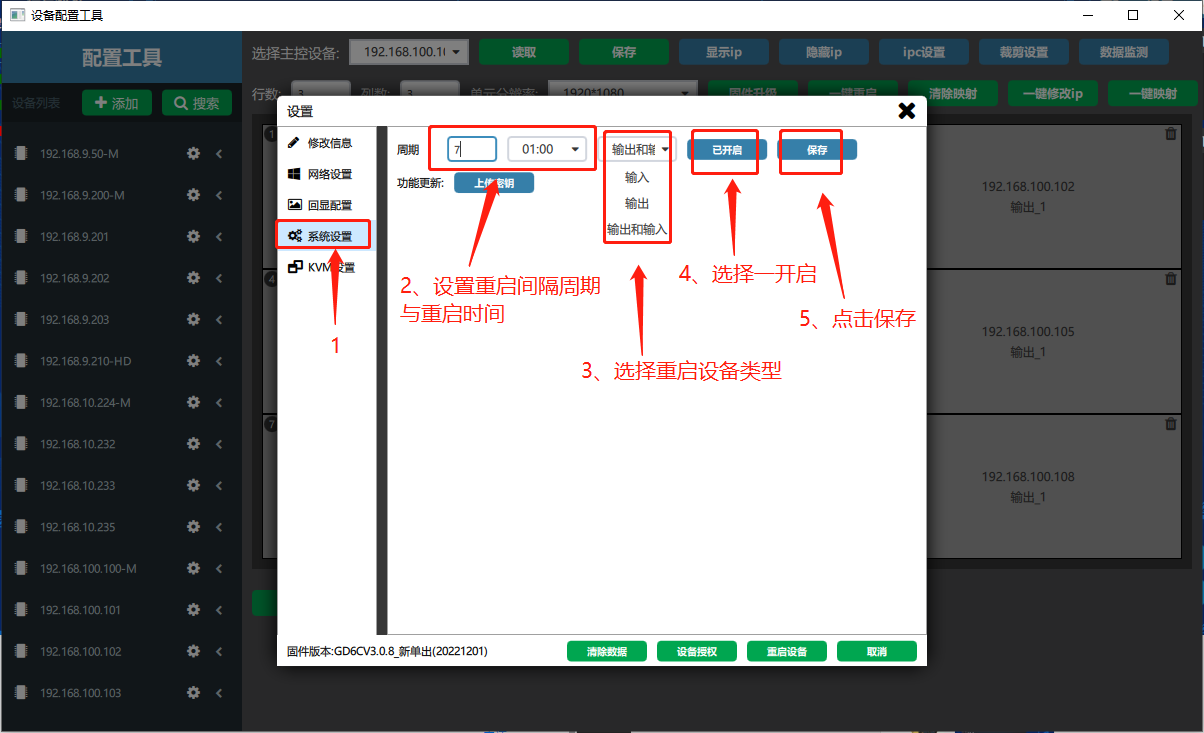
② In the settings window, choose System Settings, enter the maintenance restart interval, the time and the device type to restart, select Enabled and click Save.
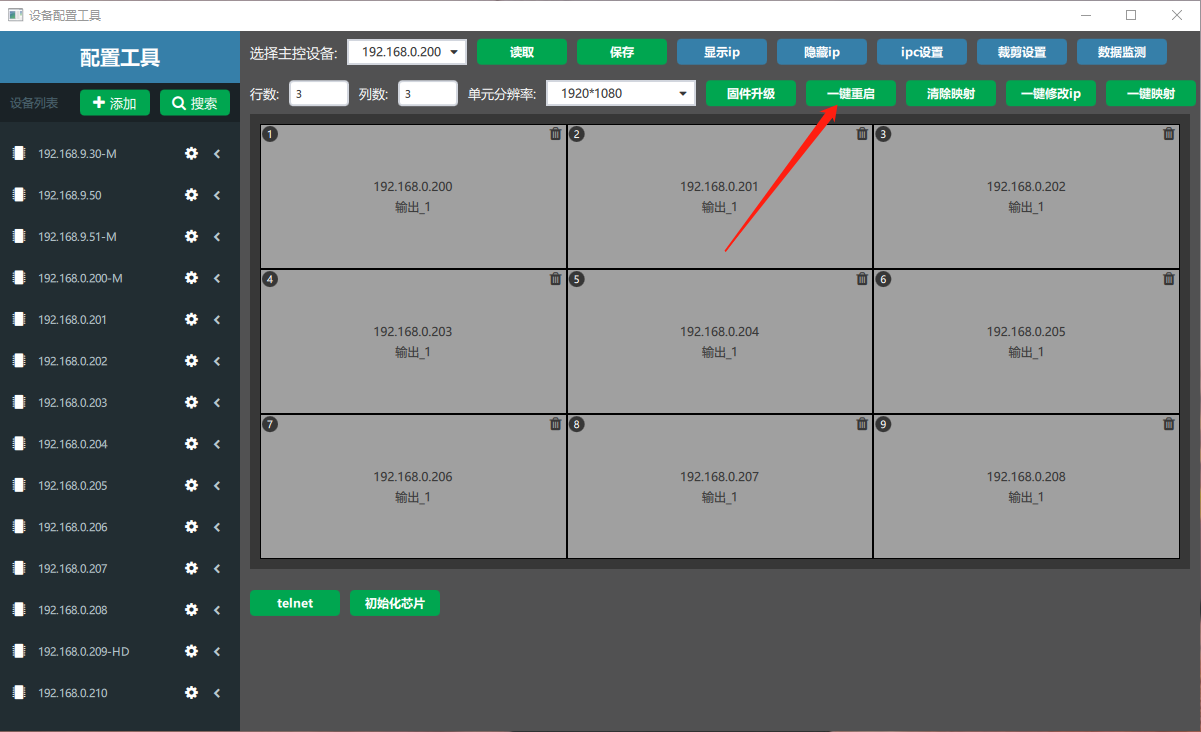
After saving, click Restart All to restart the device.
Did this page help you?One line of feedback helps us keep the steps accurate.