Documents
Enable Card Audio
① Click the “开启音频”(Enable Audio) button in the software to enable audio on the 3.5 audio output port of the card (the processor input must be a combined audio/video input). The audio adjustment slider sets the card output volume.
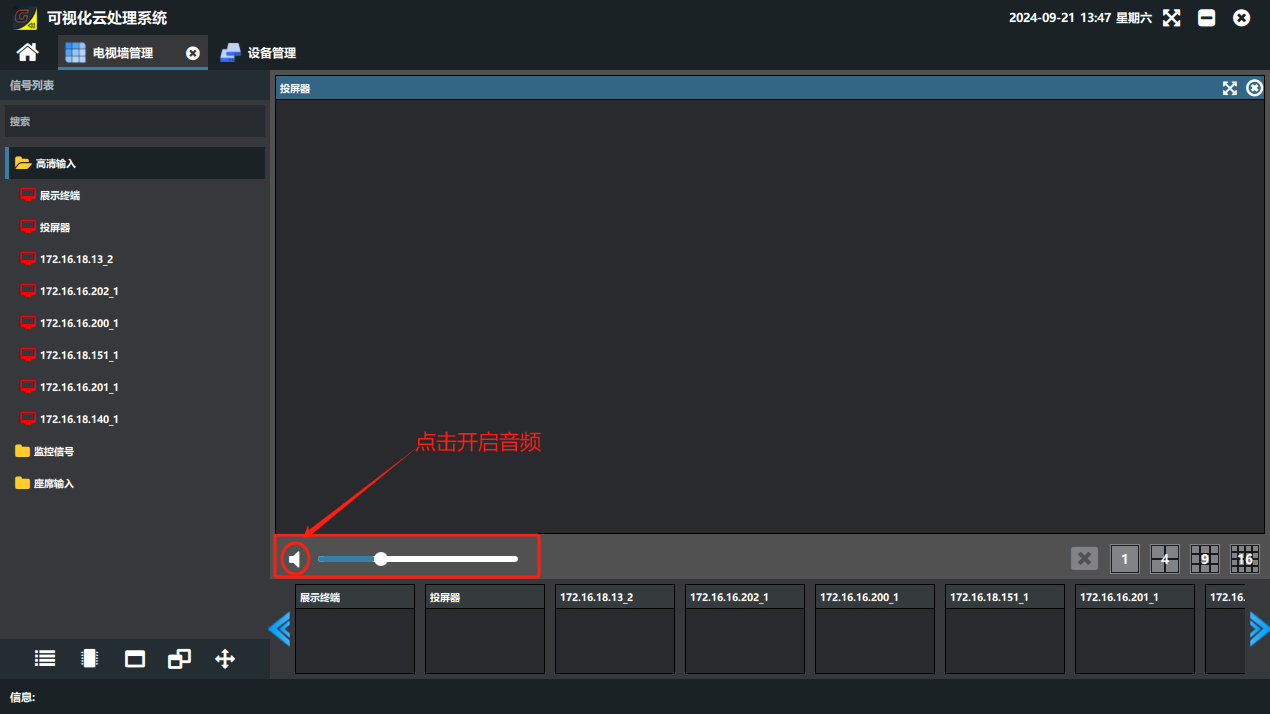
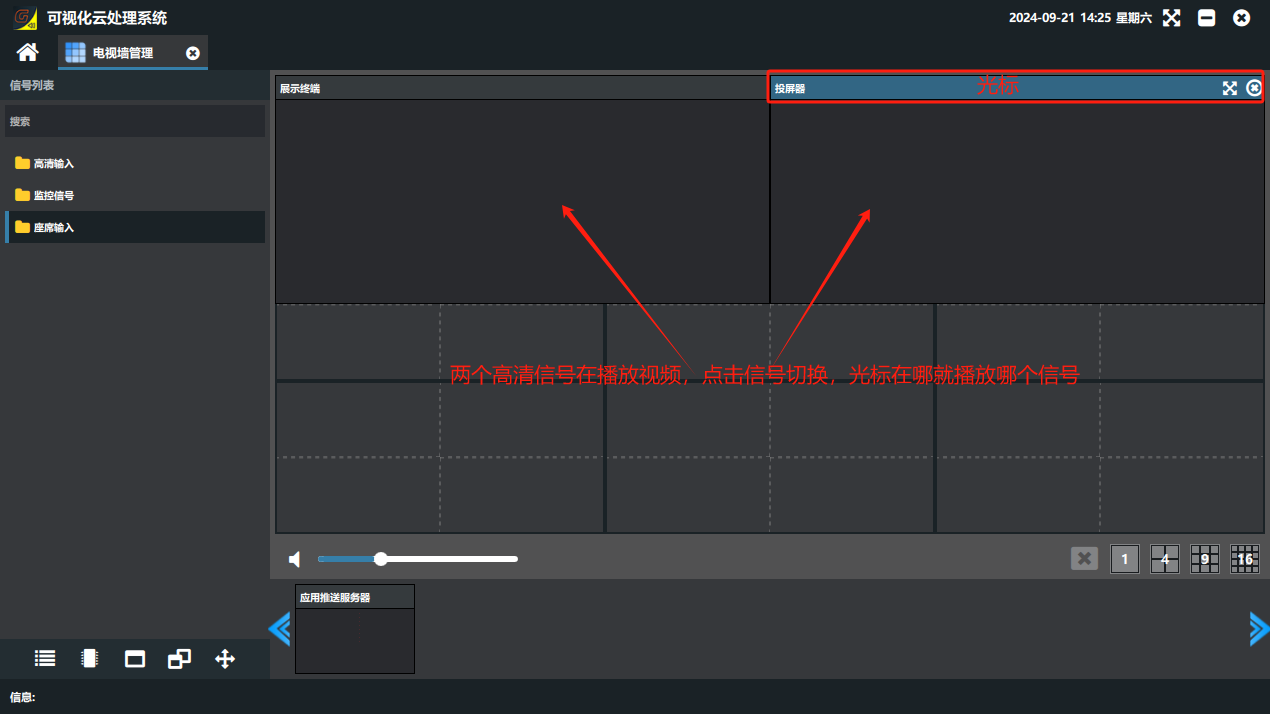
② Synchronized audio/video switching
When the card audio output is enabled and the input is a combined audio/video 信号源(Signal Source), the audio of the signal you select with the mouse is output for the video sent to the video wall, while all videos keep playing at the same time.
Did this page help you?One line of feedback helps us keep the steps accurate.