Documents
User Permission Management
1. Manage users
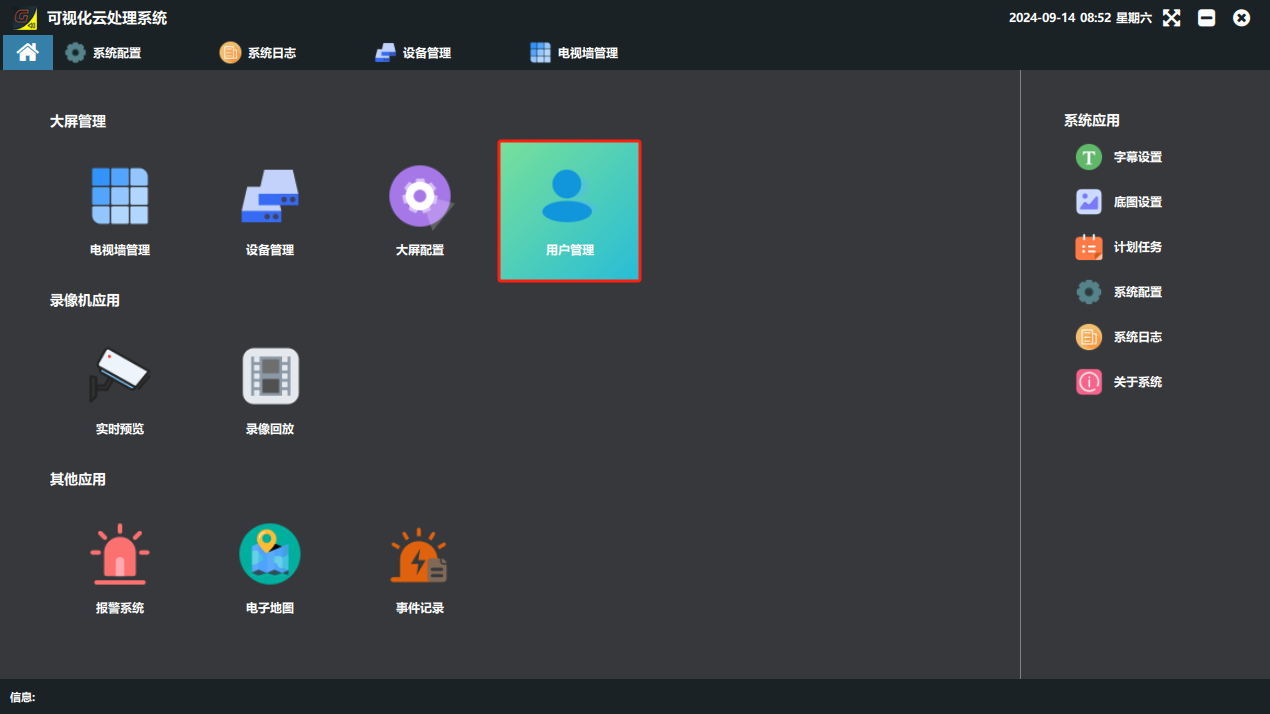
① Click the “用户管理”(User Management) button on the main software screen to open the user management page.
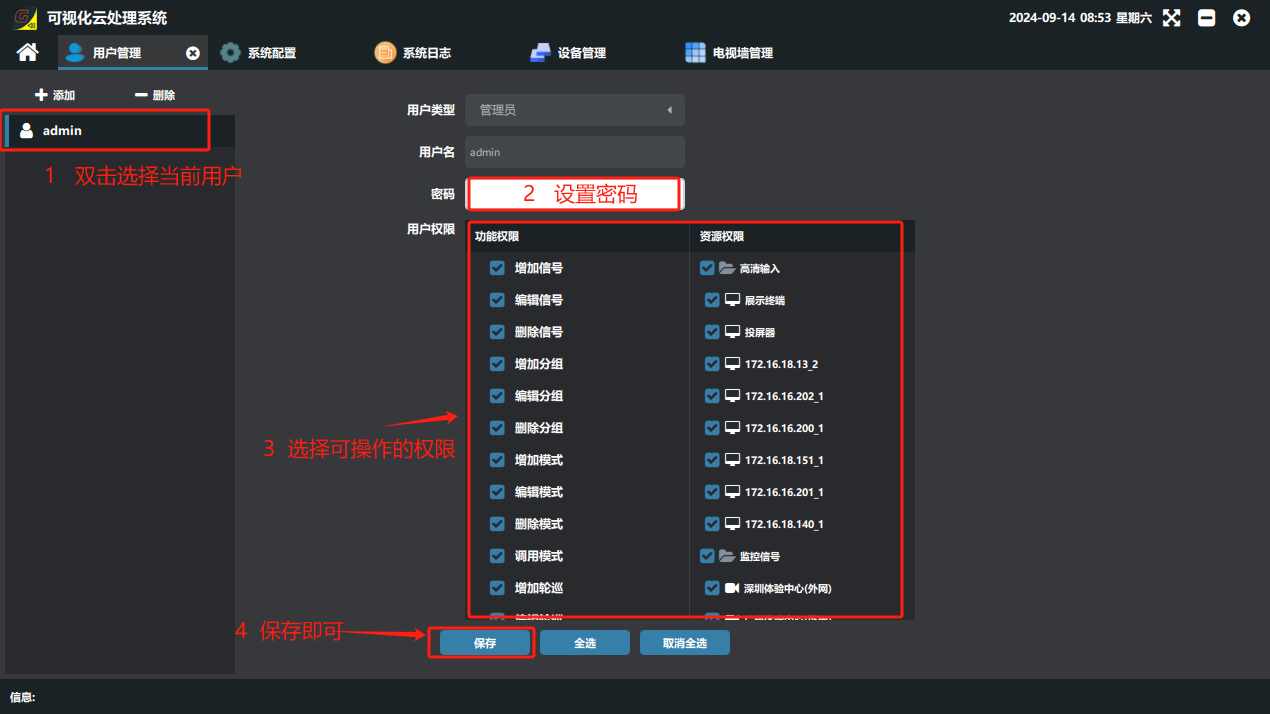
② On the user management page you can change the administrator password and add, delete or edit users.
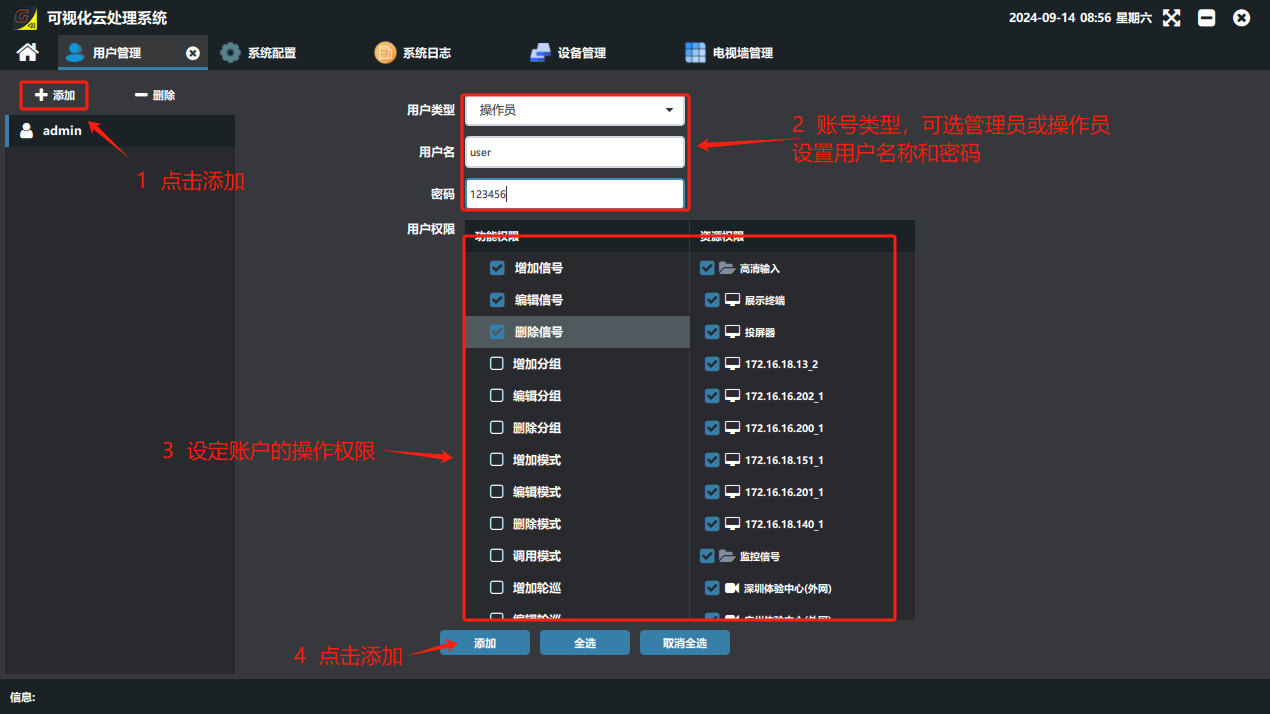
2. Add / delete users or set permissions
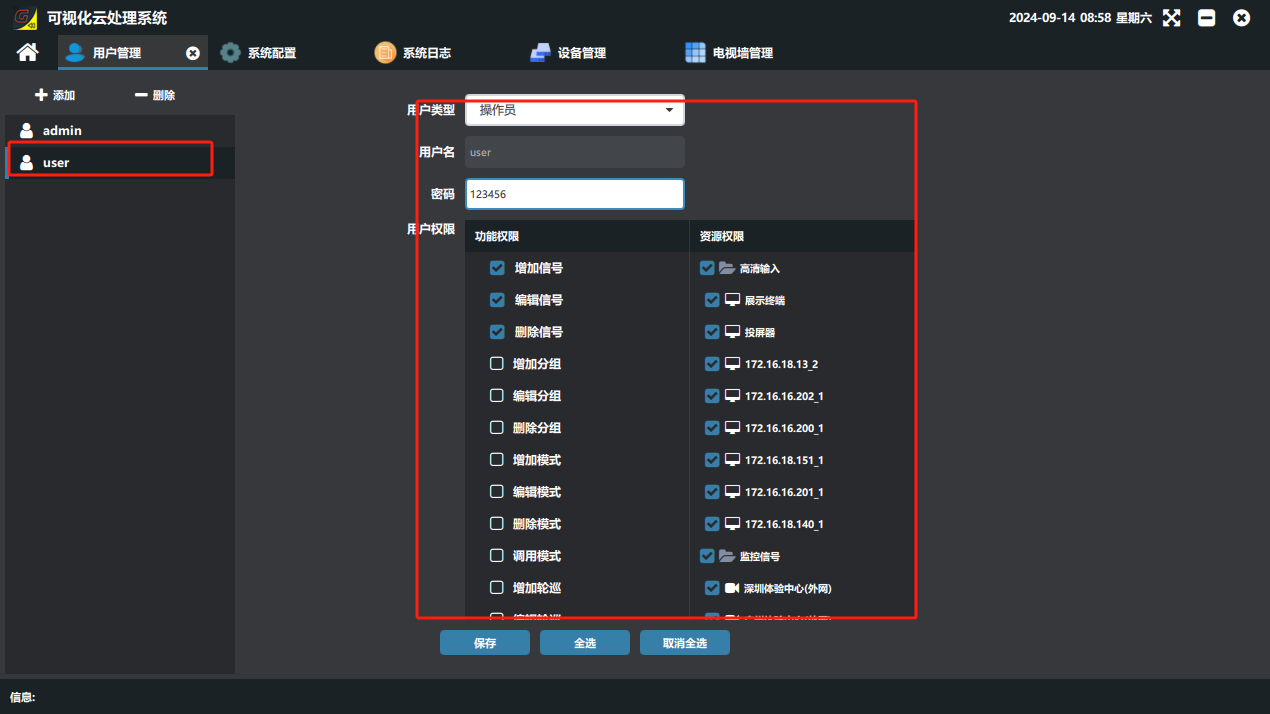
① On the “用户管理”(User Management) page, click “添加”(Add), select the user type (administrator or operator), enter the account name and password, select the operation permissions as needed, and click Add.
Did this page help you?One line of feedback helps us keep the steps accurate.