Documents
Scene Pre-layout
When to use: arrange the layout you need in the software without affecting the picture currently shown on the screen; the picture on the screen changes only when you click publish.
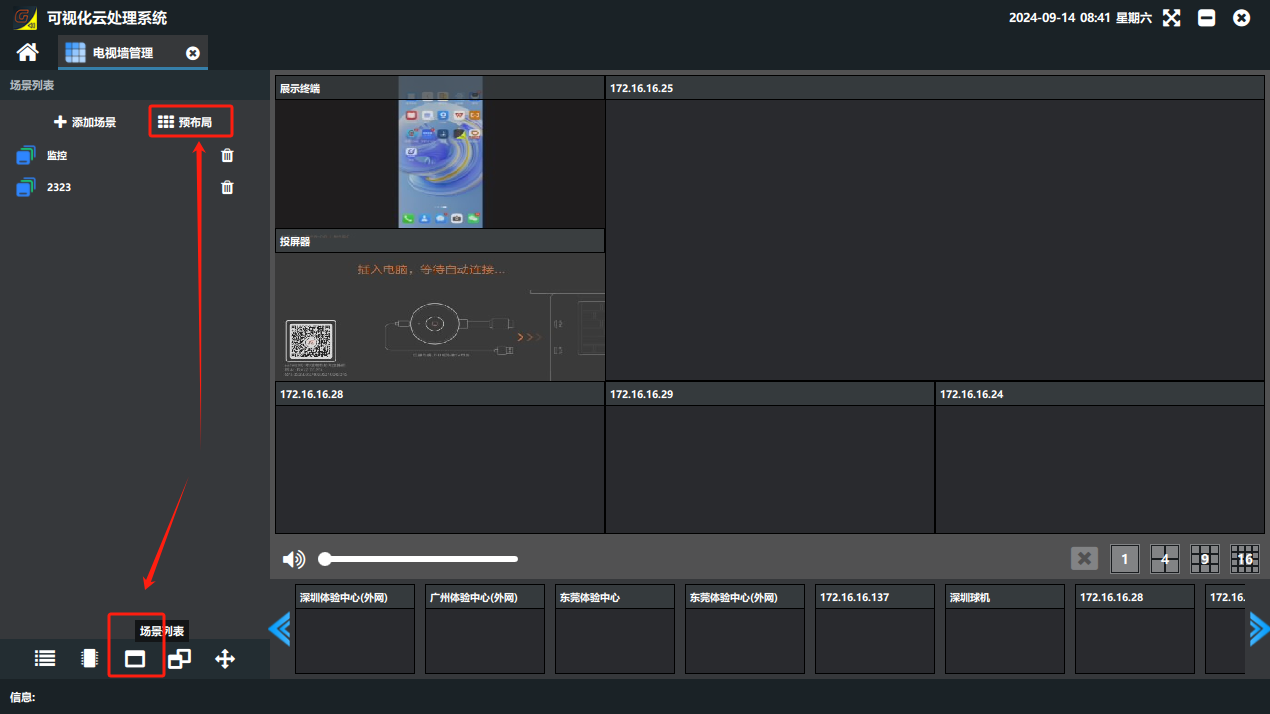
1、Click the “场景列表”(Scene List) button in the lower-left corner of Video Wall Management, and click “预布局”(Pre-layout).
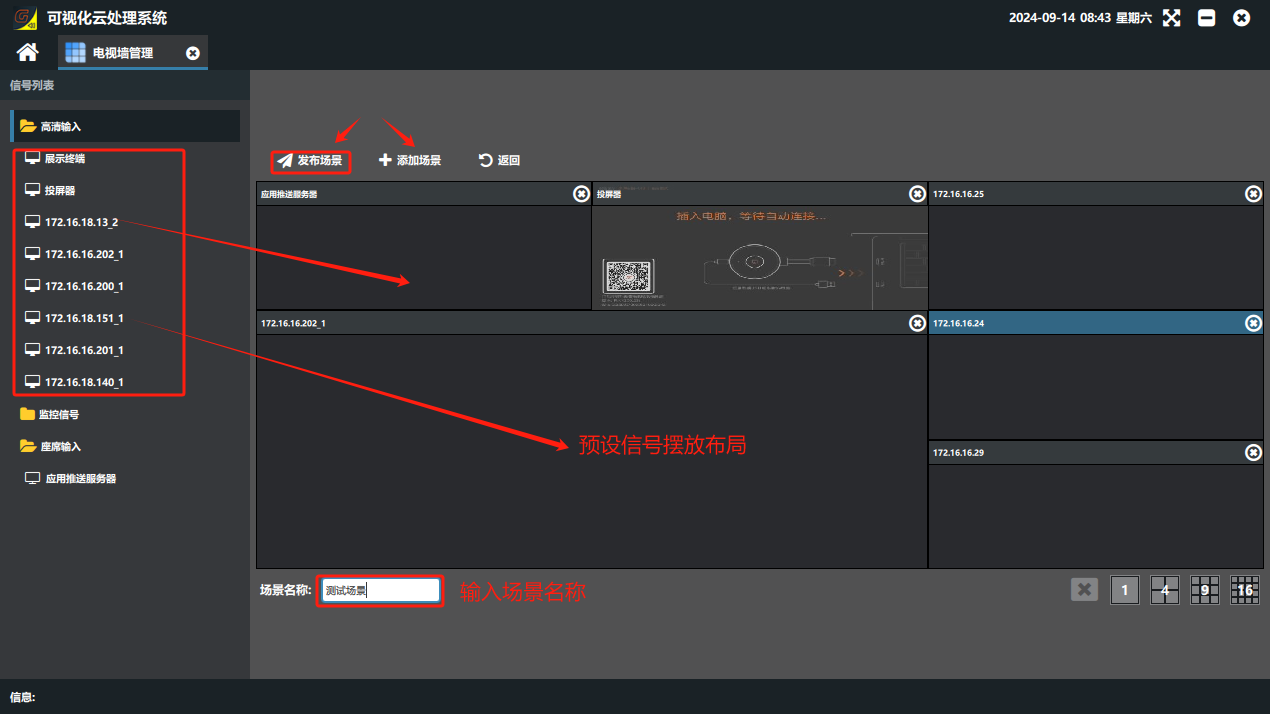
2、In the pre-layout page that appears, arrange the layout you need, enter a custom layout name, and click the “发布场景”(Publish Scene) button: the video wall then switches to the scene layout and the layout is saved in the scene list. If you only click confirm, the video wall does not change and keeps the original layout; the new scene layout is only saved in the scene list.
Did this page help you?One line of feedback helps us keep the steps accurate.