Documents
Control Center Codes
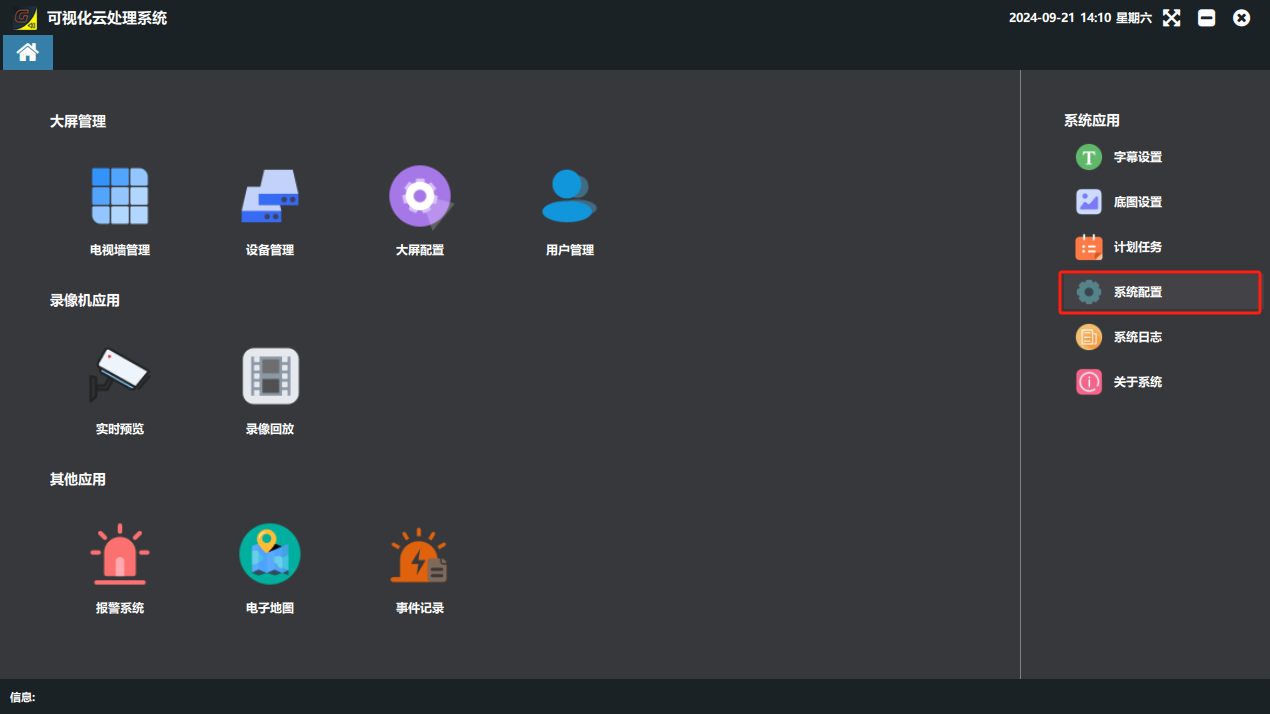
After the scenes are created, return to the software home page and click “系统配置”(System Configuration) on the right.
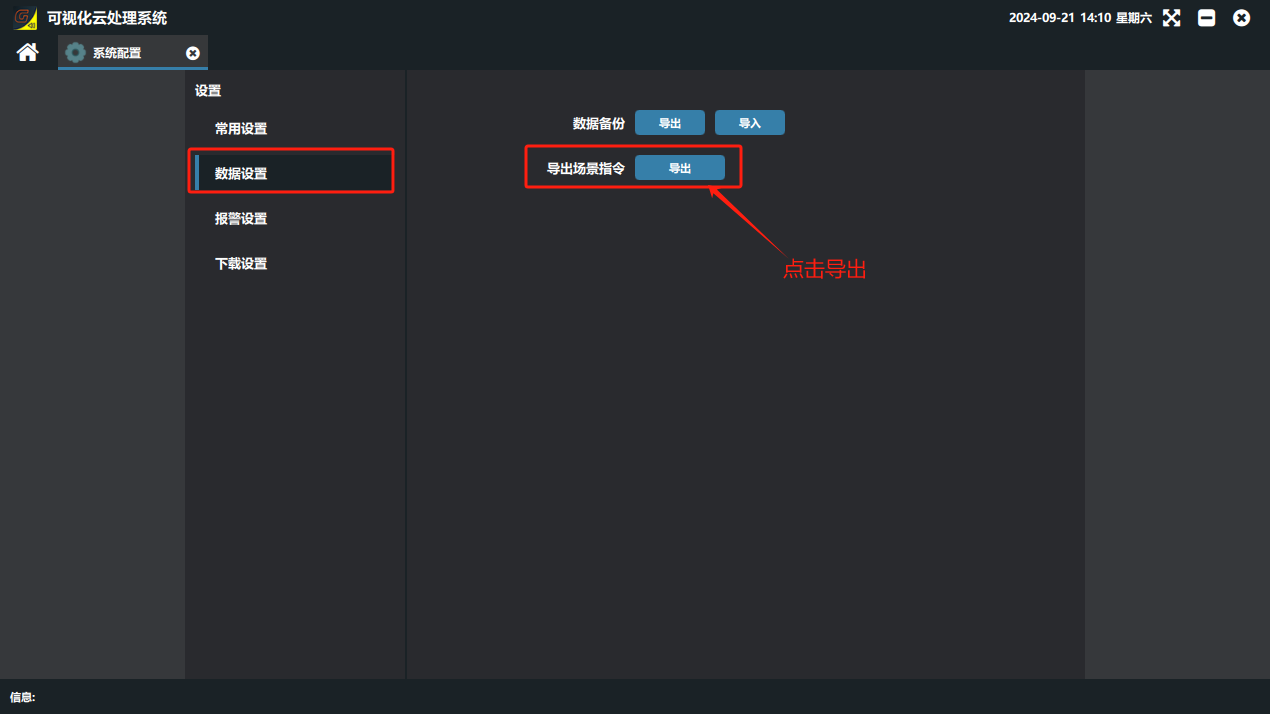
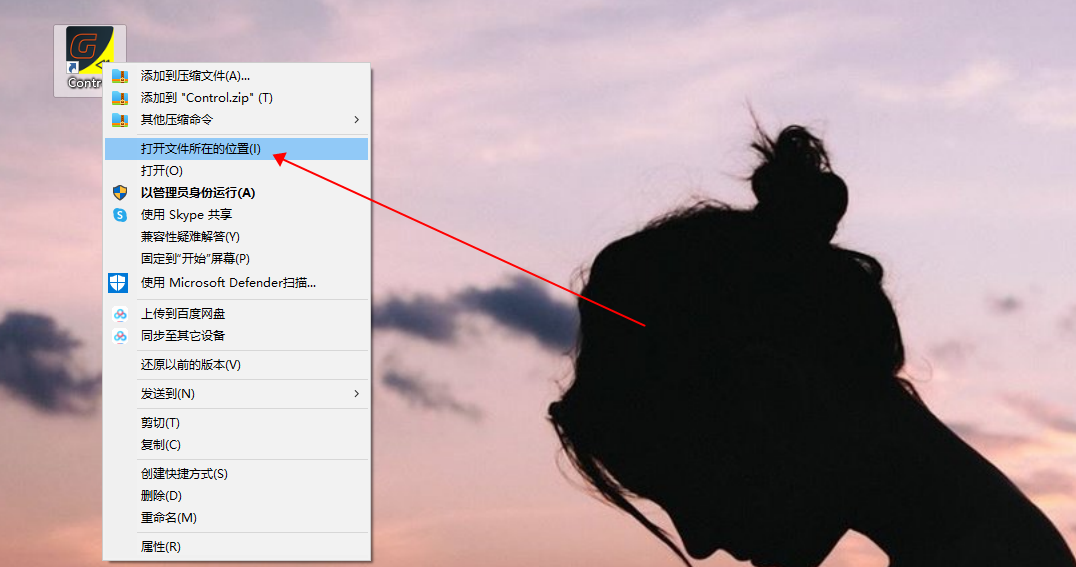
Return to the PC desktop, find the client software icon, right-click it and select “打开文件夹所在位置”(Open file location).
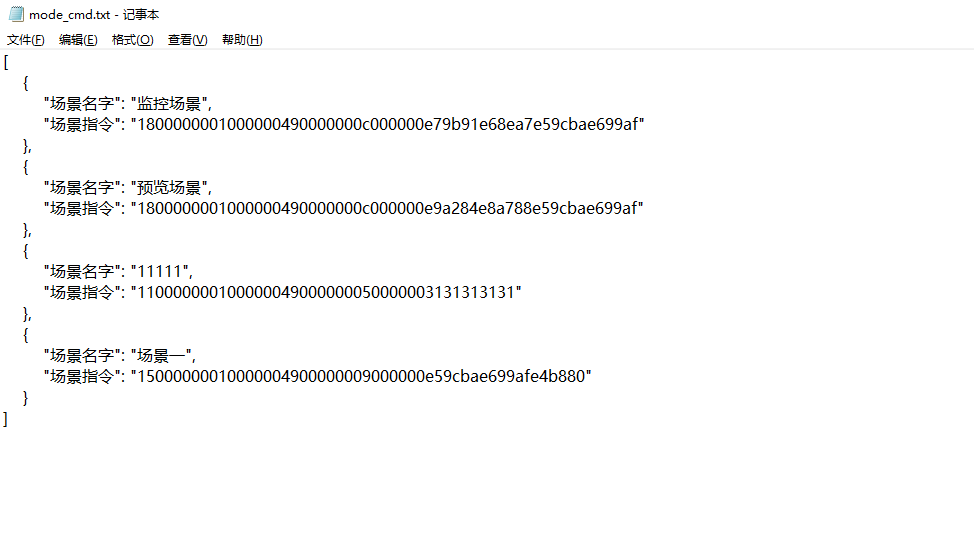
Find the “mode_cmd” file (file type JSON) and double-click to open it.
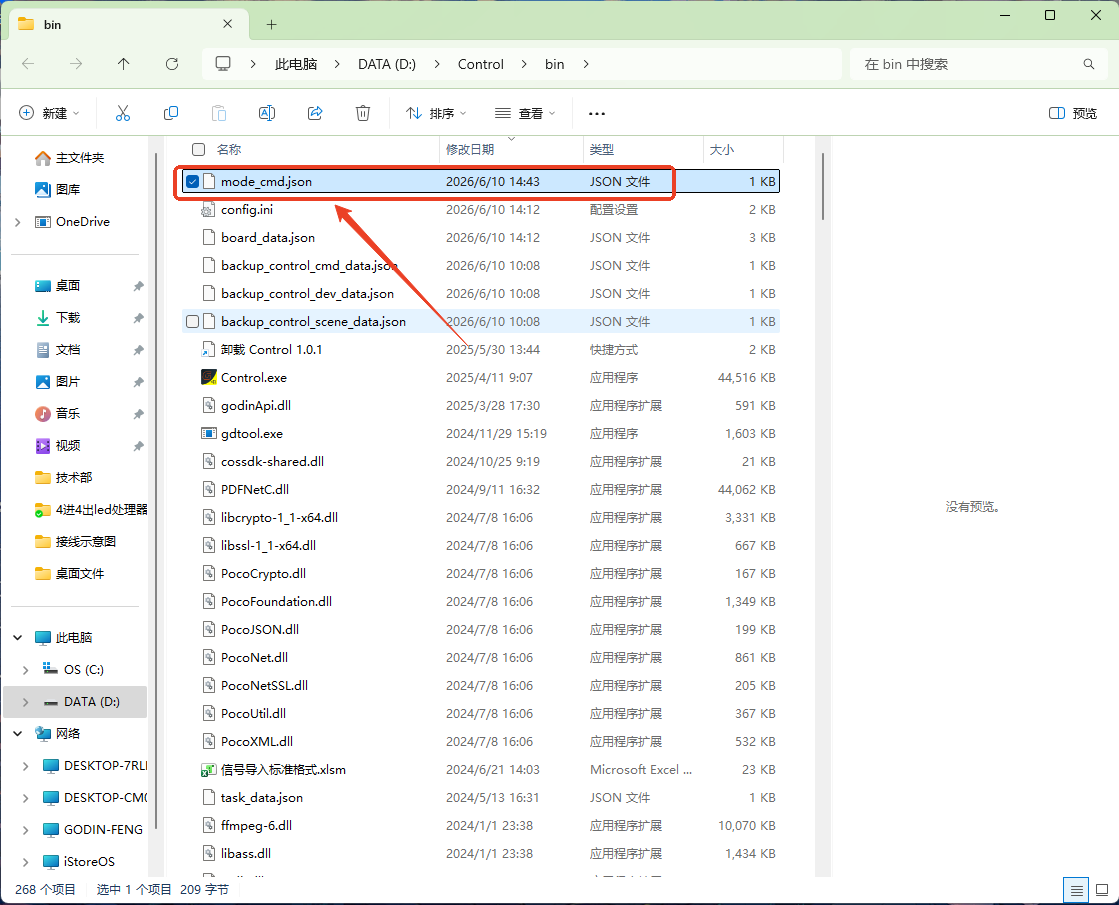
④ The opened file shows a series of command codes corresponding to the scene list.
Did this page help you?One line of feedback helps us keep the steps accurate.